Pages

NOKIA

Hands-on: Nokia Lumia 610

SAMSUNG

Samsung Galaxy Chat goes big on texting

WiFiSlax

Hack Wifi : WiFiSlax 4.1 Final (WiFi Hack BootCD)

SAMSUNG

Samsung Galaxy Pocket

Motorola

Motorola Atrix 2

Friday, June 15, 2012

Download: Flickr Browser (Windows Phone)

Access your Flickr stream and upload high-quality photos taken via the in-app camera feature. 

Download: Flickr Browser (Windows Phone)
Photography lovers who own a Windows Phone can now access their Flickr accounts from their smartphones using the Flickr Browser. The app is already available on the iOS and Android platforms. Once installed, you can browse high resolution pictures through the app's touch-optimised navigation and upload images to your Flickr account with the in-app uploader. You can also share photos with through email, Twitter, and Facebook among other platforms. The app also lets you add titles, descriptions, comments, and tags, along with changing privacy settings with ease.
You can check out pictures from other users' Flickr stream via the Explore module. The app enables you to take high-quality photos from the in-app camera as well. It offers the ability to pin Live Tiles to your Home Screen for direct access to the in-app camera.

Developer: Yahoo!
Version: 0.9.0.0
Size: <1 MB
Price: Rs 70
Platform: Windows Phone
Download link: http://www.windowsphone.com/en-IN/apps/0582119b-55f0-4cf2-b6e5-73ca75494d7b


Download: Max Payne Mobile (Android)

The popular film noir styled first person shooter makes its way to the Android platform.

Download: Max Payne Mobile (Android)
Max Payne is a widely popular desktop and console game, first launched in 2001. The game has been one of the most popular first person shooter games of its generation. A couple of sequels have made their way post the launch of the game, the latest of which launched recently. But the original Max Payne still remains a favourite for many. Finally, the game has made its way to the Google Play Store.


Download: Max Payne Mobile (Android)

It follows in the footsteps of the original game, with similar gameplay including the epic “bullet time” feature, and plot.  The game is compatible with devices running on Android 2.2 and up. Thanks to the developers, this game has also been optimized for devices powered by NVIDIA Tegra 3. Rockstar Games has managed to maintain the same premise from the first game, which is sure to bring back some memories.
This 27MB file though isn’t free and will set you back by Rs 170 on the Play Store. This is the developer’s second game in the Play Store after Grand Theft Auto III.
Developer: Rockstar Games
Version: 1.0
Size: 27 MB + 1.3 GB
Price: Rs. 170
Platform: Android 2.2 or higher
Download link: https://play.google.com/store/apps/details?id=com.rockstar.maxpayne#?t=W251bGwsMSwxLDIxMiwiY29tLnJvY2tzdGFyLm1heHBheW5lIl0


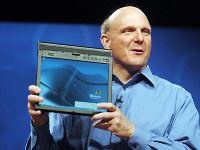
Rumour: Microsoft Preparing Its Own Tablet To Compete With Apple iPad

Sends out press invites for a "major announcement" on 18th June in the US. 

Rumour: Microsoft Preparing Its Own Tablet To Compete With Apple iPadMicrosoft has been reportedly preparing its own tablet in a bid to enter the lucrative market, currently dominated by Apple. The software giant has been known for its operating systems, and the latest amongst them is the upcoming Windows 8 and Windows RT for tablets. It has so far shied away from becoming a manufacturer itself, unlike Apple, who makes its own software and markets hardware via OEM, under its name. Microsoft seems to have realised that it's time to emulate its rival's strategy by pitting its upcoming tablets against the iPad. Google has also been earlier rumoured to be foraying into the tablet arena, by readying its own offering in collaboration with ASUS, which is scheduled to launch by the end of this month.
To further fuel rumours, press invites were sent out by Microsoft for a media event to be held in LA on 18th June, where it will make a "major" announcement. Industry sources have indicated that ARM-based tablets running Windows RT may be unveiled. However, it could as well be the launch of the company's first branded tablet(s). Microsoft has been known to observe a strict policy for device hardware requirements as far as Windows Phone 7 is concerned, and making tablets itself is possibly the best way to protect the devices against fragmentation.


How to bring back the Start Menu to the Windows 8 Desktop

It’s a natural trait within humanity that some people take better to change than others. As trivial as it may seem in the grand scheme of life’s priorities, not everybody testing out Microsoft’s Windows 8 Consumer Preview has managed to get past the lack of a Start button / Orb.
A prominent feature of the Redmond company’s OS for as long as most of us can remember, it’s invariably the first port of call for any Windows user upon logging in. The software maker’s decision to bid farewell to the feature has left many feeling a little disgruntled – despite the general consensus of the Consumer Preview being a positive one.

Start Menu Orb Start8

Luckily, there’s no shortage of workarounds. Last week, we showed you ViStart, which was a fairly good way to restore that feeling of normality, but since it overlapped the taskbar, extra work was needed in order to align things perfectly. Therefore, we today present an even easier way to revert to the traditional menu courtesy of a little tool called Start8.
Once you’ve installed Start8 on your computer, you simply need to click Desktop from the Start Screen, and your precious Start button will be restored. Clicking the new Start will show a Start Menu, but instead of an XP/Vista/7-esque interface, you’ll be welcomed with a tasty Metro finish in keeping with the rest of the Windows 8 experience. The menu functions remain more or less ‘as you were’, such as the Run box and the ability to pin items to the Start Menu.
before
after
It’s not the same experience, but perhaps points to the steady evolution that Microsoft should have been / should be catering for in Windows 8.
As an added bonus, Start8 is free of charge, and available to download from StarDock. You will have to disclose your email address in order to see the download link, but there is no need to confirm your e-mail address thereafter.
Let us know if it does indeed satisfy your yearning for the old Start Menu via the usual mediums below!
Download Start8 from Stardock.

Thursday, June 14, 2012

Download Ninja Blade-SKIDROW


Ninja Blade-SKIDROW | 3.7 GB
Platform: PC | Language: English | Genre: Action


High atop the towering skyscrapers of modern-day Tokyo, Ken Ogawa and his team of skilled ninjas are deployed to destroy the infected monster horde and stem the spreading disease as humanity hangs in the balance. Matters quickly take a turn for the worse as Ogawa and his team are betrayed from within their own ranks. After narrowly escaping death, Ogawa is left to fight the daunting battle alone while also attempting to understand the motivations behind his father's betrayal.

Armed with an extensive arsenal of specialized ninja weapons, tools and skills including the powerful forces of Ninja Vision and Todomй Attack, players must fight insurmountable odds, and once again bring peace and order to Tokyo.

System Requirements:
Processor : Intel Pentium 4 at 3.2 GHz / Athlon XP 2500+
Video Card : 256 MB DirectX 9.0c Compatible video card With Shader Model 3.0 support (Nvidia Geforce 7300 or better / ATI Radeon 9250 or better )
Memory : 1 GB
Hard Disk : 5 GB of free Hard Drive Space
Operating System : Microsoft Windows XP / Windows Vista
Sound Card : DirectX 9.0 Compatible
Direct X : 9.0c
Installation : DVD-ROM Drive

This image has been resized. Click this bar to view the full image. The original image is sized 790x444.

This image has been resized. Click this bar to view the full image. The original image is sized 790x444.

This image has been resized. Click this bar to view the full image. The original image is sized 790x444.

Download:
Code:
http://extabit.com/file/27a40t725e4l2/sr-ninjab.iso
 

Wednesday, June 13, 2012

Apple’s new MacBook Pro is the greatest, and perhaps final, version of the personal computer.


The new Macbook Air
If Apple weren’t so orderly, disciplined, and predictably well run, you could almost call it schizophrenic. On the one hand, it’s the world’s most successful mobile technology company—the firm that sparked the smartphone and tablet boom, and the only one that’s reaping any significant profits from these new devices. Apple, more than any other company, is banking on what it calls the “post-PC” era, an age in which we get most of our stuff done on small, Internet-connected portable machines, not the hulking desktops and notebooks that now clutter our lives. Note that at its developer conference on Monday, most of Apple’s innovations were reserved for its mobile operating system. While it did announce several new features for a new version of the Mac OS, many of them—as Wired’s Steven Levy points out—were imports first invented for Apple’s phones and tablets.
But it’s too simple to say that Apple is giving up on PCs. Look at its amazing new laptop, which—clunkily and confusingly—is called the MacBook Pro with Retina display. That name suggests the new machine is closely related to Apple’s current line of MacBook Pros, which are stylish but pedestrian, old-fashioned laptops. The Retina MacBook’s real sire is actually the MacBook Air, the tiny machine that the company first launched in 2008. Over the last four years, Apple has transformed the MacBook Air from an expensive and underpowered novelty line into the best group of notebooks on the market. The Air—and now the similarly thin and light and flash-storage-having Retina MacBook Pro—represents the future of personal computing, while the standard MacBook Pro and the other computers in its class feel like pre-post-PC machines, devices that are hopelessly stuck in the past.
And that’s what I mean by schizophrenic: At the same time that it is killing the PC, Apple keeps extending the life of the personal computer with notebooks like the Air. That the same company is doing both these things is quite strange and spectacular—imagine if, in addition to building the Model-T, Henry Ford was also working on a way to breed faster, less smelly horses.
Apple isn’t really at war with itself, because in many ways the Air is a complement to the iPad, not its enemy. Well, that’s the case today, anyway. At some point the two machines will have to collide—either the Air or the iPad will win out, or we’ll see some novel combination of the two. Whatever happens, this much is clear now: If the once mighty personal computer is to have any future, the MacBook Air is its last best hope.
I first dove into the Air in 2010, when Apple released the 11-inch model for $999, a price I found irresistible. When Apple updated its Airs with faster processors last year, I traded in my 11-inch model for the 13-inch. I found both to be exceptional machines, the best portable computers I’d ever used. The Air does everything I can do on a standard laptop, but it has the size, weight, and battery life that’s more in line with a tablet. It’s also quieter than a standard laptop—it doesn’t have any spinning drives, and its temperature fan only kicks in when I watch too many Flash videos. While both the 11-inch and 13-inch models have slower processors than MacBook Pros, the machines feel surprisingly zippy, and are more than powerful enough for most everyday uses. On Monday, Apple updated the processors in its Air lineup once again, and it also reduced the price of its 13-inch model by $100. That machine now sells for $1,199, while the 11-inch Air still goes for $999.
At these prices, the Air is unbeatable. There are lots of computers that are cheaper than the Air—including several thin and light “ultrabook” laptops that PC manufacturers have released to mimic the Air—but they lack the quality and responsiveness of Apple’s machine. The cheap Windows ultrabooks I’ve tried have been blighted with poor trackpads, bad battery life, and glitches (for instance, a failure to respond quickly after being placed in standby mode). There are some well-reviewed ultrabooks on the market (like the Asus Zenbook), but these generally go for around the same price as Apple’s Air, and they’re still not as good as the Air.
Meanwhile, machines that are more expensive than the Air don’t make much sense. This is especially true of Apple’s non-Retina MacBook Pros, which start at $1,199 for the 13-inch model and $1,799 for the 15-inch. These machines seem to offer better specs than the Air—they have faster processors, optical drives, and more storage space—but I suspect that for most people, those specs aren’t worth the extra weight. Many people worry about the Air’s limited storage space compared with hard-drive based laptops, but I don’t think you’ll have many problems. If you separate your data from your computer using external storage—put all your photos, music, and video on a backup drive and on services like Dropbox—you really don’t need many hundreds of gigabytes of onboard storage these days.
If you study the success of the Air, and the efforts of PC makers to clone it, it seems obvious that over the next few years, every new laptop will have its thin and light frame. Apple has made clear that the new Retina MacBook Pro is the future of the MacBook Pro line; look for that model to get cheaper over time, and soon—if not next year, then certainly in 2013—it will replace the hard-drive-based MacBook Pro.
The mystery is what will happen to Apple’s laptop line as it picks up more and more features that we associate with the iPad. Like Apple’s tablet, the new MacBook has a Retina display, and it boasts seven hours of battery life, which is closing in on the iPad’s 10-hour mark. At some point Apple’s laptops will add touchscreens, too—touch will be too widely embedded in the computing culture for laptops not to have it. At the same time, the iPad will get faster and faster, in time matching the power of today’s laptops. And all the while, the Mac OS will keep picking up more and more features that Apple first showed off on its mobile OS.
What happens when these trends collide? In three years’ time, what will be the difference between a $499 iPad and a $999 MacBook? Will they be essentially the same machine, except that one will come with a keyboard and one won’t? The same question applies to Windows PCs, too, as Microsoft’s upcoming Windows 8 is meant to enable the convergence of tablet and desktop operating systems. Will there soon be no difference between Windows tablets and Windows laptops, either?
I don’t know the answers to these questions. But the dynamics sure are strange and fascinating to behold. Thanks to Apple, laptop computers have never been better. And, also thanks to Apple, laptops have never been more clearly destined for obsolescence. Let’s just enjoy it while it lasts. After all, a faster, less smelly horse would have been pretty awesome, no?